In development · Waitlist open
Every PDF.
Handled.
Edit, redact, sign and convert. A Mac app we are building now.
- Documents processed on your Mac
- Our own PDF engine
- Pricing announced before launch

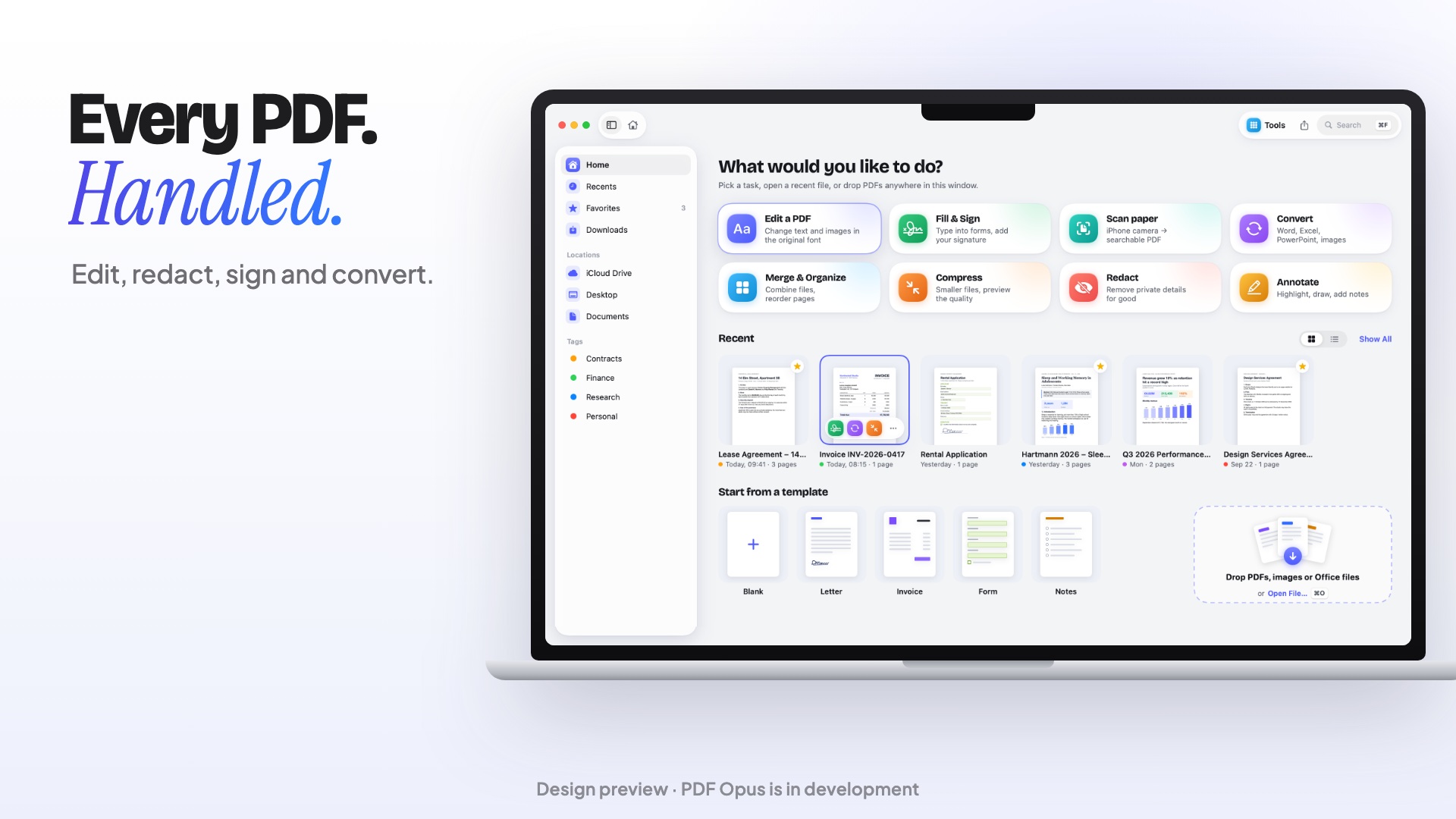
Design preview, not the running app. PDF Opus is in development.
Redact
Redact for real. Gone means gone.
Text, images and drawings under the marks are removed from the file, and matching metadata is scrubbed. For hidden layers and all metadata, use Remove Hidden Data.

Design preview, not the running app. PDF Opus is in development.
Edit
Edit text
like a document.
Fix a typo or swap an image right on the page, matching the original font where it can.

Design preview, not the running app. PDF Opus is in development.
Annotate
Mark it up.
Make it yours.
Highlights, notes and ink that feel at home on macOS.

Design preview, not the running app. PDF Opus is in development.
Convert
Word, Excel, PowerPoint. Both ways.
Export to Office and turn Office files back into PDFs, on your Mac.

- DOCX
- XLSX
- PPTX
- PNG
Design preview, not the running app. PDF Opus is in development.
Every tool. One app.
Eight families of tools, built in our PDF engine. The app around them is in development, and the final tool list is set before launch.
Annotate
- Highlight, underline, strike
- Pen, shapes and arrows
- Notes and stamps
- Measure distance and area
Edit
- Edit text, matching the original font
- Add, replace and crop images
- Links
- Watermarks, headers and footers
Redact
- Mark text or areas
- Search and redact every match
- Matching metadata scrubbed
- Remove hidden data
Convert
- PDF to Word, Excel, PowerPoint
- Word, Excel, PowerPoint to PDF
- Images, HTML, Markdown, text
- PDF/A-2b for archiving
Fill & Sign
- Fill PDF forms
- Create form fields
- Flatten forms
- Draw or import a signature
Pages
- Reorder, rotate, delete
- Merge and split
- Page numbers and Bates
- Compare two versions
Scan & OCR
- Searchable PDF from scans
- Selectable, copyable text
- Runs on this Mac
Compress & Lock
- Compress with before and after
- AES-256 password
- Unlock with your password
Private
Yours alone.
Documents are processed on your device and no account is needed. The app only goes online for licence checks, updates and purchases.
Our own PDF engine
Written from scratch for PDF Opus, with no networking in the engine. No cloud service touches your files.
Recognition on this Mac
OCR runs on device with Apple's Vision framework.
Password protection
Lock a PDF with AES-256. Removing a password needs the correct password.
Pricing.
Before launch.
Pricing will be announced before launch. Nothing is on sale yet.
In development. Not on sale yet.
What we know
- Native Mac app on our own PDF engine
- Documents processed on your device
- No account needed
- Planned minimum: macOS 14 Sonoma
Not decided yet
- Prices and plans
- Free trial
- Licence and device terms
- Refund terms
We will publish all of this here, with the terms of sale, before anything can be bought. Waitlist members get one email when it is ready.
Be first on launch day.
PDF Opus is in development and has no release date yet. Leave your email and we’ll write once, when it is ready.
No spam. Unsubscribe any time.